---
title: Call Forwarding Setup
description: Loman Call Forwarding Setup
---
[Skip to content](https://help.loman.ai/knowledge/call-forwarding-setup#main-content)
English
Show submenu for translations
[](https://loman.ai)
- [Tickets](https://45792283.hs-sites.com/tickets-view)
- [Sign out](https://45792283.hs-sites.com/_hcms/mem/logout)
Open main navigation
Close main navigation
- [Tickets](https://45792283.hs-sites.com/tickets-view)
- [Sign out](https://45792283.hs-sites.com/_hcms/mem/logout)
- English
Show submenu for translations
- [Contact Support](mailto:support@loman.ai)
[Contact Support](mailto:support@loman.ai)
How can we help you?
- There are no suggestions because the search field is empty.
1. [Loman Knowledge Base](https://help.loman.ai/knowledge?hsLang=en)
2. [Getting started](https://help.loman.ai/knowledge/getting-started?hsLang=en)
# Call Forwarding Setup
One of our final steps here at Loman.ai is to set up the Call Forwarding rule with your phone provider. Different companies may have slightly different steps but the core logic remains the same.
We ask our restaurant partners to handle this setup because most brands have used the same phone number for decades. This ensures we don’t disrupt any existing marketing campaigns tied to that number
**CALL FORWARDING**
When setting up a Loman agent Call Forwarding, make sure it is set to a **UNCONDITIONAL/ALWAYS** rule.
1. UNCONDITIONAL - meaning that ALL calls will be forwarded. Example conditions are "only transfer if busy" or "only transfer if out of service".
2. ALWAYS - meaning that ALL calls will be forwarded under ANY condition.
Different companies may call it differently but the end result should be the same. Call your provider and ask them "**Help me setup an unconditional always call forwarding rule**" - they should be able to assist with that verbiage.
Major phone providers allow these rules to be setup through an online dashboard.
[Comcast Business](https://business.comcast.com/support/article/voice/phone-managing-call-forwarding-routing)
[Verizon Business](https://businessdigitalvoice.verizon.com/call-forwarding-end-user/)
[Spectrum](https://www.spectrumbusiness.net/support/voice/call-forwarding-features-and-access-codes)
[Voyager](https://support.voyager.nz/knowledgebase/article/KA-01114/en-us)
[Clarity Voice](https://support.clarityvoice.com/portal/en/kb/articles/call-handling-and-forwarding-phones)
IMPORTANT NOTE: SETUP ONLY **ONE** CALL FORWARDING RULE. - **DO NOT SETUP MULTIPLE RULINGS.**
That rule will be between:
Your Google Listing phone number
and
Your Agent phone number
which is located in your dashboard under Settings -\> General
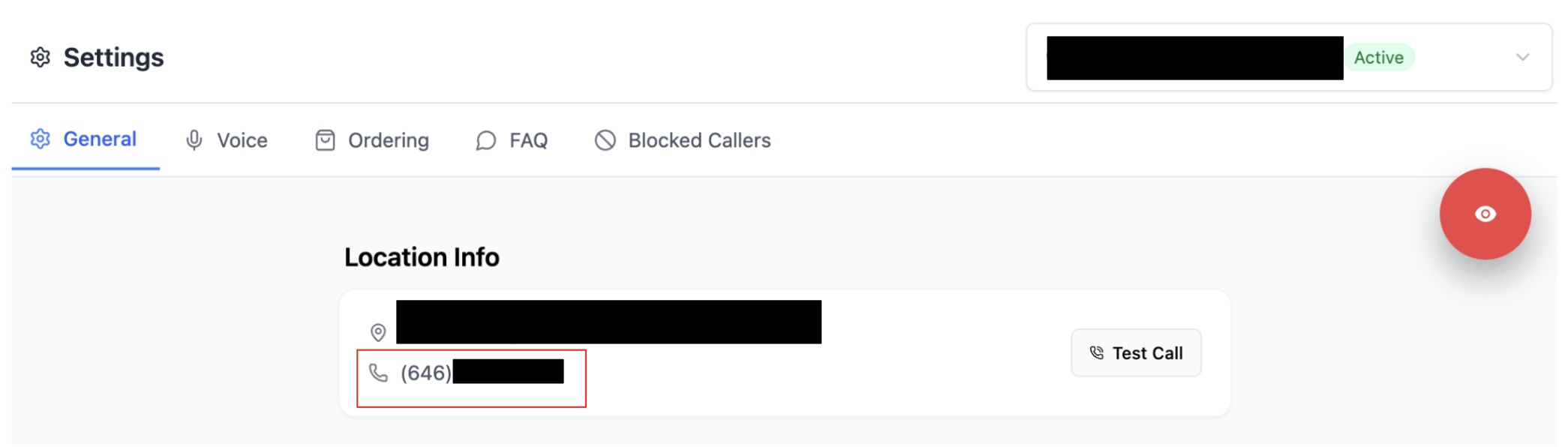
**Some users will opt to use our agent number as their Google Listing number which will bypass this process.**
**FALLBACK NUMBER**
A working viable **FALLBACK number** is of paramount importance. **Your customers still need the ability to speak to your staff in the event of an issue best handled by a LIVE representative.** Please make sure to provide a secondary phone number that **RINGS IN STORE** - you can test the number by calling it directly with your cell and if one of your staff answers, that means it will work!
Example Call Flow
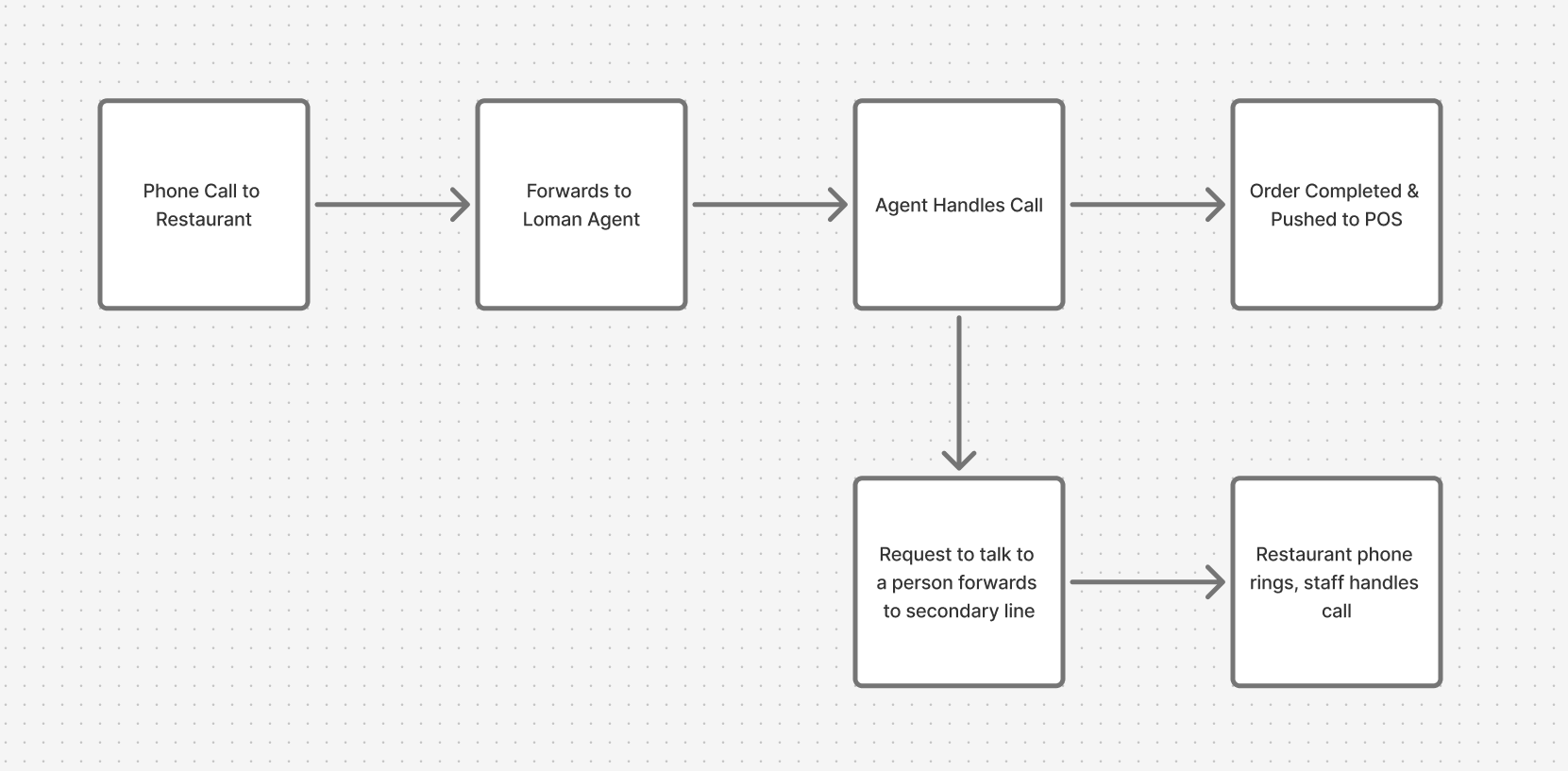
The image above is highlighting the transfer flow of an example phone call. **Once we transfer the call back to the restaurants phone system, our ability to troubleshoot becomes extremely limited.**
- [Getting started](https://help.loman.ai/knowledge/getting-started?hsLang=en)
- [Configuring Your Agent](https://help.loman.ai/knowledge/configuring-your-agent?hsLang=en)
- [Using Your Dashboard](https://help.loman.ai/knowledge/using-your-dashboard?hsLang=en)
- [Account](https://help.loman.ai/knowledge/account?hsLang=en)
- [Announcements](https://help.loman.ai/knowledge/announcements?hsLang=en)
[](https://loman.ai)
[mailto:email@email.com](mailto:email@email.com)
Copyright © 2026, Loman AI