---
title: First Delivery — How It Works
description: First Delivery, 3rd party delivery, Loman Delivery
---
[Skip to content](https://help.loman.ai/knowledge/f#main-content)
English
Show submenu for translations
[](https://loman.ai)
- [Tickets](https://45792283.hs-sites.com/tickets-view)
- [Sign out](https://45792283.hs-sites.com/_hcms/mem/logout)
Open main navigation
Close main navigation
- [Tickets](https://45792283.hs-sites.com/tickets-view)
- [Sign out](https://45792283.hs-sites.com/_hcms/mem/logout)
- English
Show submenu for translations
- [Contact Support](mailto:support@loman.ai)
[Contact Support](mailto:support@loman.ai)
How can we help you?
- There are no suggestions because the search field is empty.
1. [Loman Knowledge Base](https://help.loman.ai/knowledge?hsLang=en)
2. [Configuring Your Agent](https://help.loman.ai/knowledge/configuring-your-agent?hsLang=en)
# First Delivery — How It Works
## First Delivery dispatches on-demand drivers (from services like DoorDash) to deliver orders for restaurants that don't have their own drivers. The caller pays the delivery fee and tip; this service is free for the restaurant.
How Pricing Works
When a caller places a delivery order through Loman, the delivery fee they're quoted includes the First Delivery base fee.
**Example breakdown (new First Delivery customer):**
| Line item | Amount |
| Food | $39 |
| Delivery fee | $7 |
| Driver tip | $4 |
| **Customer total** | **$50** |
Loman collects the $11 delivery cost from the caller's payment, pays First Delivery $11 (the $7 fee + $4 tip), and passes $39 to the restaurant.
Existing First Delivery customers will also have a **Customer API Key**, which must be provided by the First Delivery team and entered during setup.
> **Note:** "Existing First Delivery customer" means the restaurant was already using First Delivery before enabling the Loman integration.
\---
How It Works for the Caller
When the caller provides their delivery address, Loman's agent fetches the delivery price and ETA in real time so the caller can ask about them.
When asked for a tip, that amount goes entirely to the driver. Low tips can result in longer delivery times.
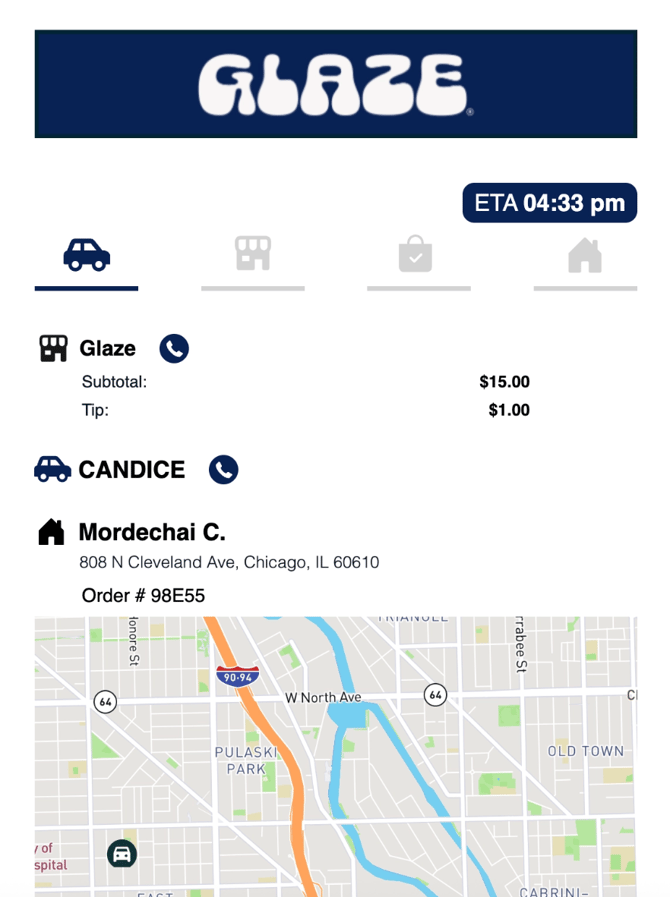
Once payment is processed and the order is successfully sent to the POS, First Delivery automatically requests a driver. When a driver is assigned, **First Delivery texts the caller a tracking link** containing:
- A live map tracker of the driver's location
- A phone button to call the driver directly
- A customizable top banner (restaurants can provide a branded banner image)
\---
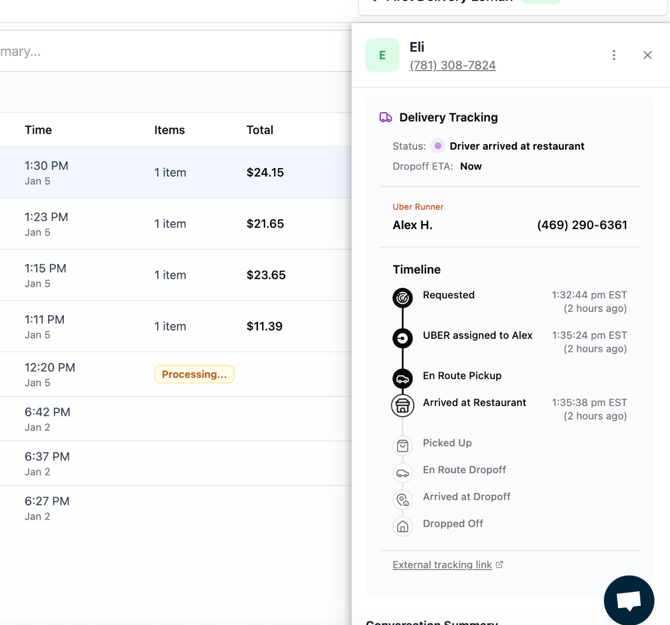
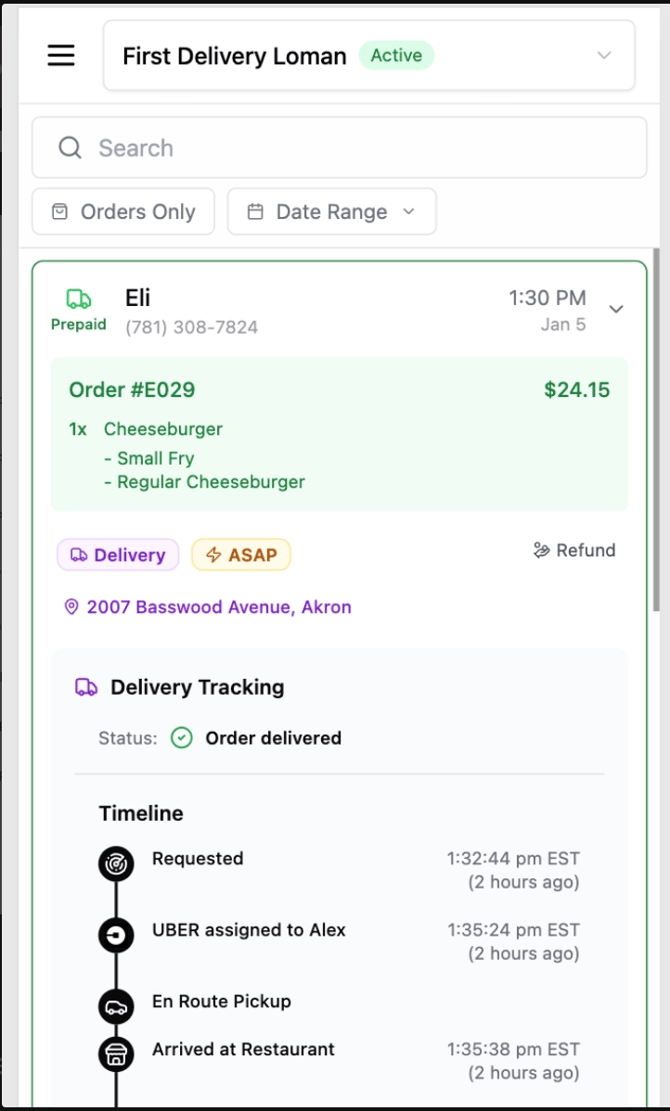
Delivery Status for the Restaurant
Restaurant owners can monitor delivery status directly from the **Loman Dashboard**.
\---
Cancellations
If an order is cancelled — via the POS or the **"Void Order"** button — the First Delivery driver request is cancelled automatically. If the cancellation happens before a driver is assigned, a full refund is issued automatically.
\---
Refunds
Refund handling is currently in progress. In the meantime, contact the Loman support team with the customer's email and a description of the issue.
> **Note:** For DoorDash and Uber Direct deliveries, First Delivery can initiate an email thread between the caller and the delivery provider's support team. When the issue is resolved via that thread, a refund can be issued automatically.
\---
Requirements and Limitations
- Loman Payments must be enabled on the account
- **Verify Address** delivery setting must be enabled
- Maximum delivery radius is **10 miles** (route-based)
- Custom delivery pricing is not yet available.
- [Getting started](https://help.loman.ai/knowledge/getting-started?hsLang=en)
- [Configuring Your Agent](https://help.loman.ai/knowledge/configuring-your-agent?hsLang=en)
- [Using Your Dashboard](https://help.loman.ai/knowledge/using-your-dashboard?hsLang=en)
- [Account](https://help.loman.ai/knowledge/account?hsLang=en)
- [Announcements](https://help.loman.ai/knowledge/announcements?hsLang=en)
[](https://loman.ai)
[mailto:email@email.com](mailto:email@email.com)
Copyright © 2026, Loman AI